

Review conversations
Read what your customers asked and how each agent replied, on any channel.
The Conversations section shows every conversation of the workspace agents, grouped by session. It includes both customer conversations and the internal tests you run from the dashboard.
Steps
Open Conversations
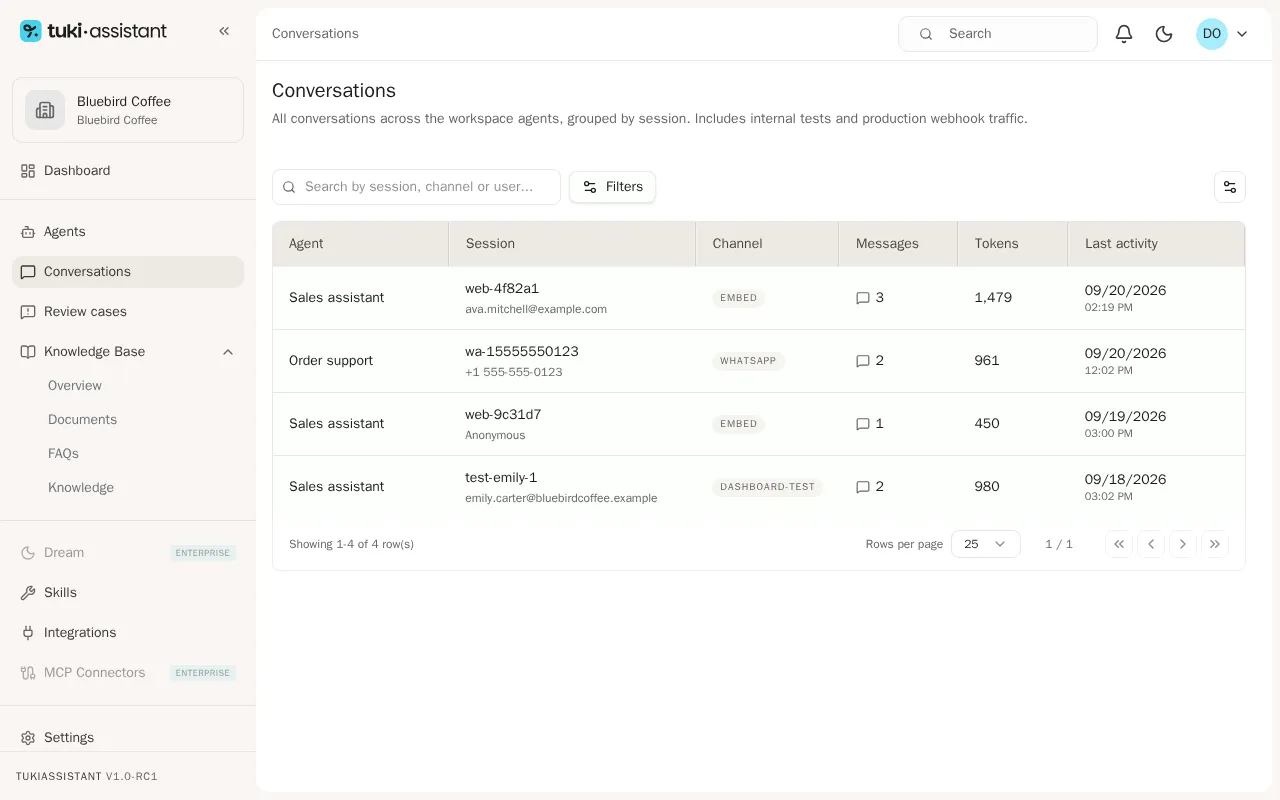
In the sidebar, open Conversations. Each row is a session: the Agent that replied, the Session with the customer identifier (email or phone, when known), the Channel, the number of Messages, and the Last activity.
Find a conversation
To find a conversation, type part of the session, channel, or user in the search box, or use Filters to show only one agent or channel.
Open the conversation
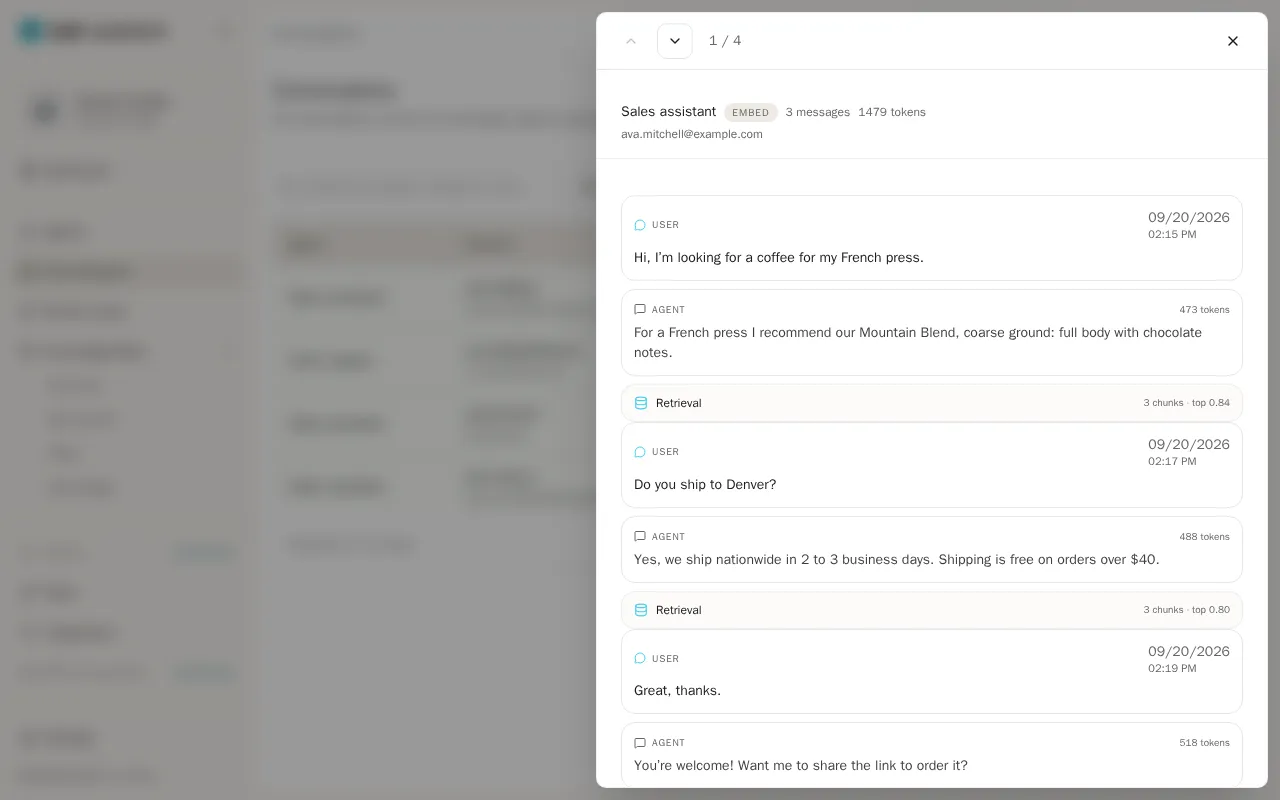
Click a row to open the conversation. You’ll see each User message and the Agent reply, with its date and time.
Move between conversations
Use the arrows at the top to move to the previous or next conversation without closing the panel.