Check the status of your agents
See which agents are published or in draft, and find the questions they can't answer yet.
The Agents section brings together every agent in your workspace. From there you can see at a glance which agents already serve your customers, which are still being prepared, and what each one is missing.
Steps
-
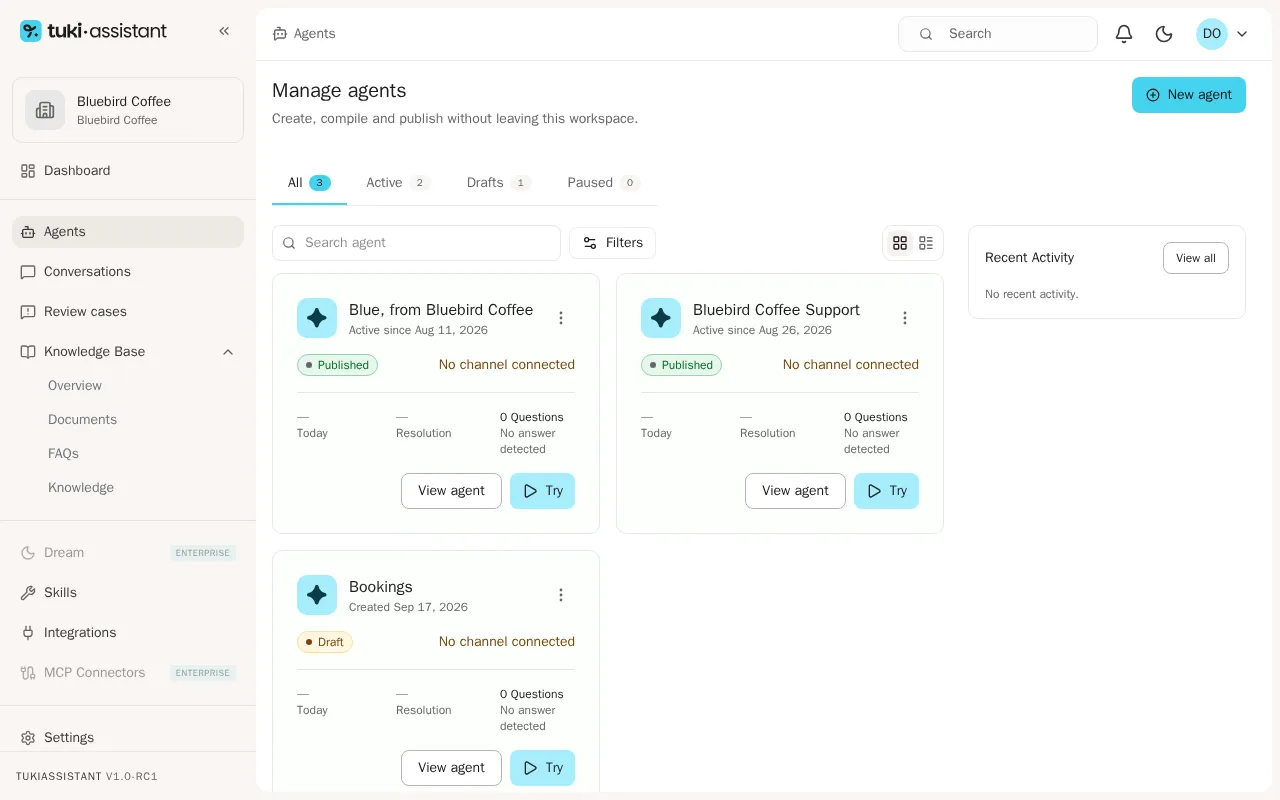
In the sidebar, open Agents. Each card shows the agent’s name, its status (Published or Draft), whether a channel is connected, and today’s metrics.
-
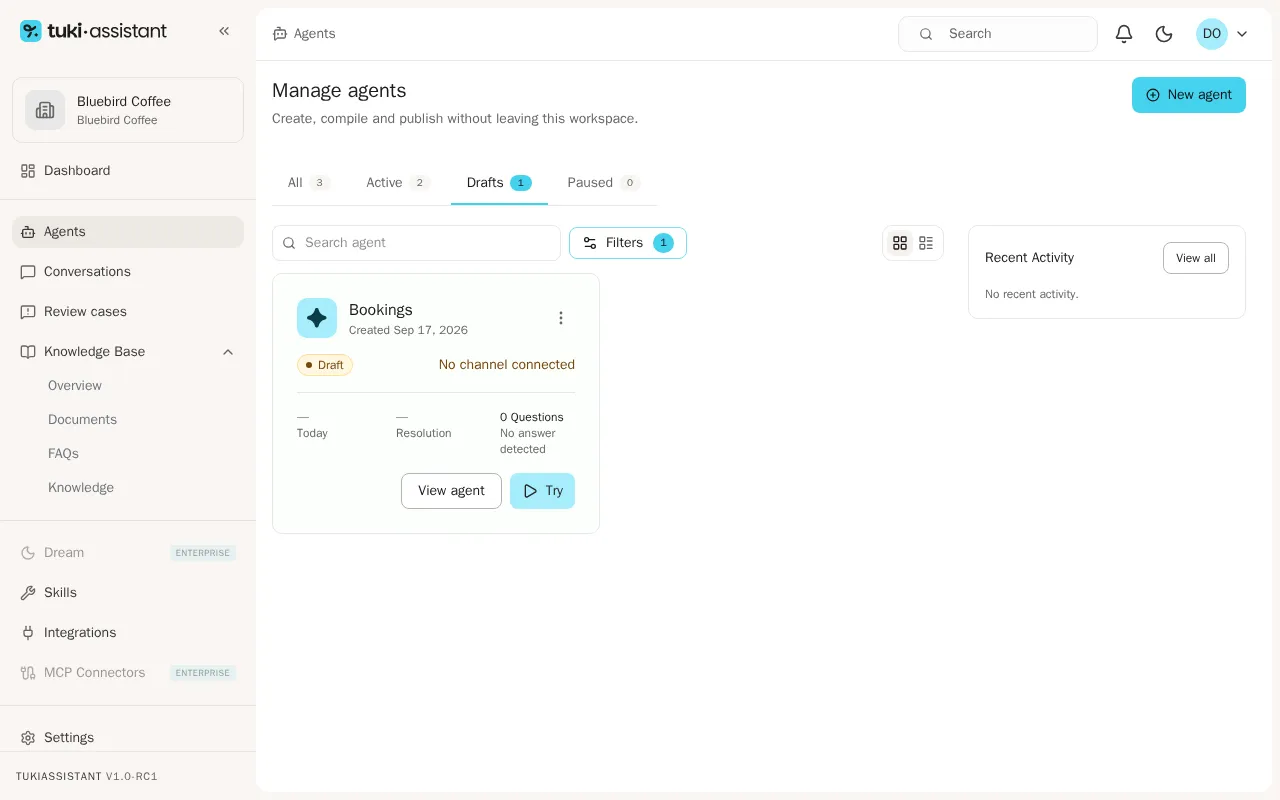
Use the All, Active, Drafts, and Paused tabs to filter the list. For example, click Drafts to see only the agents you haven’t published yet.
-
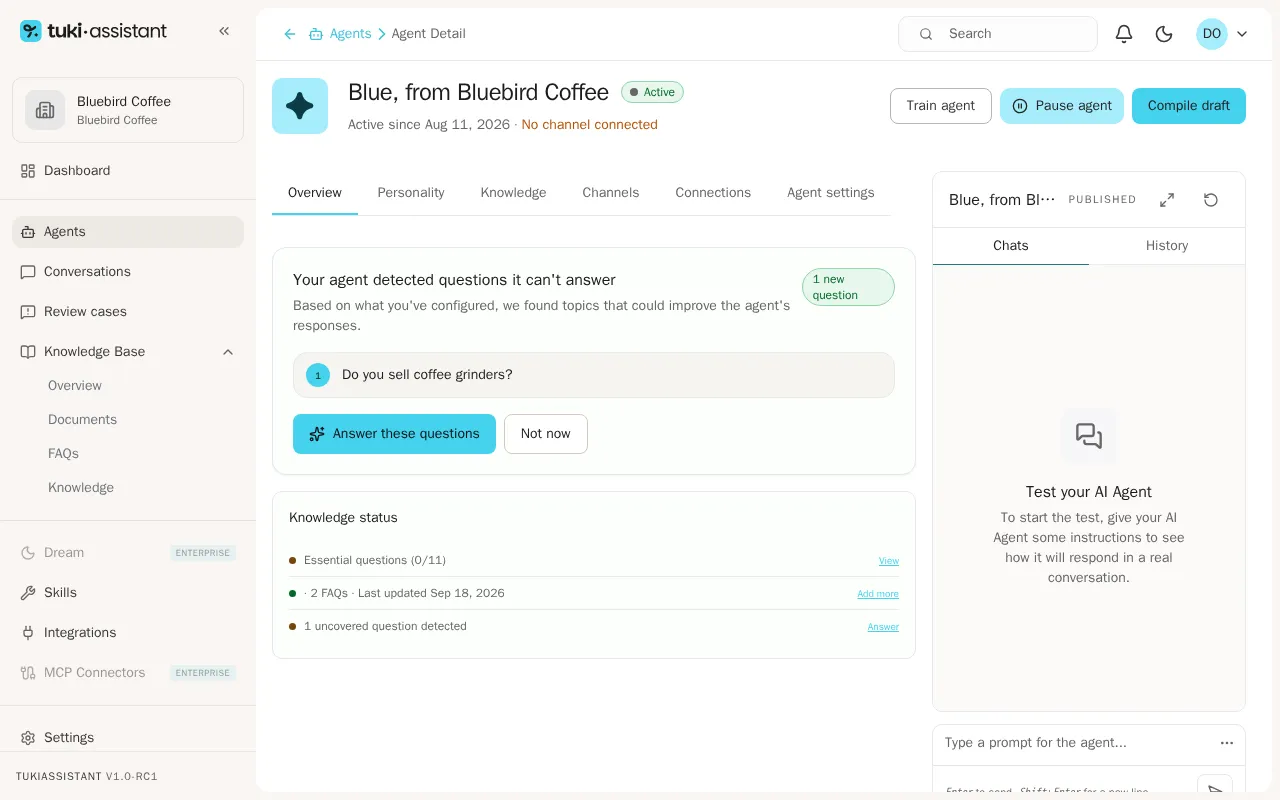
Go back to All and click View agent on the card of the agent you want to check. The agent’s Overview tab opens.
-
Check the Your agent detected questions it can’t answer box: it lists the unanswered FAQs assigned to that agent. Click Answer these questions to complete them, or Not now to hide the notice. Below it, Knowledge status summarizes how many FAQs the agent has and when they were last updated.